
- Email yeldocollegesmd@gmail.com
- CALL +91 98461 10506 +91 98468 77776
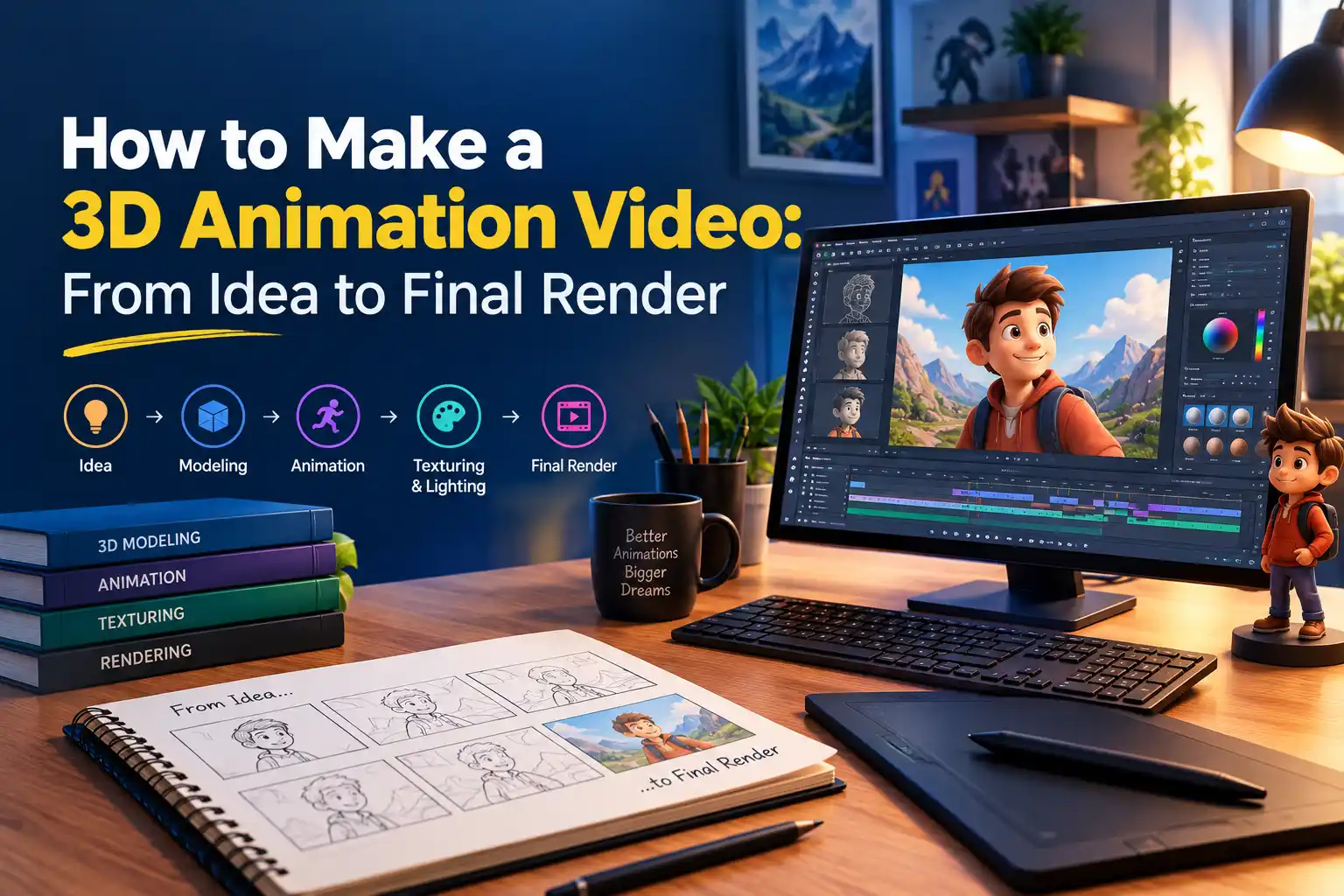
A 3D animation video seems like one complete video; however, there is a process of interwoven decisions to create it. When learning how to create a 3D animation video, beginners need to understand the process of developing a concept, creating assets, rigging, animating, lighting the scene, and rendering the final output. There is no need for the beginner to do big studio-like projects. A small and focused project can provide insight into the whole process of 3D animation.
The most realistic way of developing 3D animation skills is by starting with a simple project. A 10-second project gives beginners enough scope to practise the workflow without becoming overwhelmed by the production process. Before using the 3D animation program, one must decide on:
A simple action such as walking toward the camera, picking up an object, or turning toward the camera can work well.
Before building the 3D scene, create a storyboard to establish shot composition. Then create an animatic to test the timing and sequence.
An animatic helps you evaluate:
This pre-production stage can help reduce unnecessary modelling and animation work. It also gives you a clear 3D animation workflow before detailed production begins.
Do not model everything you can imagine. Model for the shot, not for an imaginary future project.
Depending on your idea, you may need:
Extra detail can increase production time without improving the final shot. For 3D animation for beginners, one character and a simple environment can provide enough material to practise the complete workflow.
Rigging adds a controllable structure to a 3D character so it can be posed and animated. A basic character rig usually includes a skeleton, joints, controls and skinning or weighting.
Before starting 3D character animation, test the rig carefully:
A strong rig makes animation easier and reduces problems later in production.
Professional animation develops in stages rather than appearing perfectly on the first attempt.
1. Blocking
Set the major poses and keyframes. Focus on storytelling, pose, timing and weight rather than small details.
2. Refinement
Improve the movement between major poses. Work on spacing, arcs, overlap and smoother transitions.
3. Polish
Add details such as facial movement, secondary action, subtle body shifts and final timing adjustments.
This approach helps beginners apply animation principles progressively while refining keyframes and curves in the graph editor.
Camera, composition, lighting, materials and mood all influence the final 3D animation video.
Start by asking:
Lighting does more than make objects visible. It can create depth, direct attention and strengthen the atmosphere of a scene. Establish the camera and major lighting first, then refine materials and textures.
Your animation timeline is not the final video. 3D rendering calculates the scene for each frame and produces the rendered frames or output sequence used to create the final animation.
Important settings include:
Do not immediately start the final render. First create a short test render to identify problems and confirm that the animation, camera and lighting work correctly.
Even a carefully prepared project can produce unexpected problems. Common issues include:
A test render is one of the smartest steps in a beginner-friendly 3D animation tutorial. Fixing problems early can save significant rendering time.
AI-assisted tools are increasingly appearing in areas such as:
These tools can speed up selected production tasks, but human decisions remain essential. The animator still controls the story, performance, timing, composition, visual style and quality control.
AI can support the 3D animation workflow, but it does not replace the creative decisions that determine whether a scene communicates effectively.
A practical learning progression is:
It is not necessary to be adept at all stages before taking up the first project. Choose a single, concentrated animation and improve your skills one by one. If you want to learn the 3D animation workflow through structured education and practical training, you can explore a 3D Animation College in Ernakulam.
Learning how to make a 3D animation video involves more than modelling and rendering. Start with a simple idea and develop it through storyboarding, asset creation, rigging, animation, lighting and post-production. Understanding the 3D animation workflow, software and rendering basics can help beginners create better projects with confidence.
Want to learn 3D animation through a structured curriculum? Explore the BA Animation and Visual Effects programme at Yeldo Mar Baselios College and develop practical skills across 3D animation, rigging, lighting, rendering, and visual effects.
How Do You Make a 3D Animation Video?
Start with a short idea, create a storyboard and animatic, build the required assets, rig characters when needed, animate the scene, set up lighting and materials, render the frames, and complete post-production.
What Software Is Used to Make 3D Animation?
3D animation software typically combines tools for modelling, rigging, animation, lighting, materials, rendering, and compositing. Blender is one example of an application that supports many of these stages in one workflow, while other professional pipelines may use multiple specialised tools.
Can Beginners Make a 3D Animation Video?
Yes. Beginners can create short 3D animations by starting with simple scenes and gradually learning modelling, rigging, keyframe animation, lighting and rendering.
How Long Does It Take to Make a 3D Animation?
The time varies according to the animation's length, complexity, number of characters, level of detail, animation quality and rendering requirements. A short beginner project can be completed much faster than a detailed production.
Tags: how to make a 3D animation video, 3D animation video, 3D animation process, 3D animation workflow, 3D animation for beginners, 3D animation tutorial, how to create 3D animation, 3D animation software, 3D modelling, 3D character animation,
September 22, 2026
September 22, 2026
September 22, 2026
September 22, 2026
September 21, 2026
September 21, 2026

September 21, 2026
September 21, 2026
September 07, 2026
September 07, 2026
August 29, 2026

August 29, 2026
August 28, 2026
August 28, 2026
August 28, 2026
August 28, 2026
July 27, 2026
July 27, 2026
July 27, 2026
July 27, 2026

July 25, 2026

July 25, 2026

July 25, 2026
July 25, 2026
June 27, 2026

June 27, 2026
June 27, 2026

June 27, 2026
June 27, 2026
June 26, 2026