
- Email yeldocollegesmd@gmail.com
- CALL +91 98461 10506 +91 98468 77776
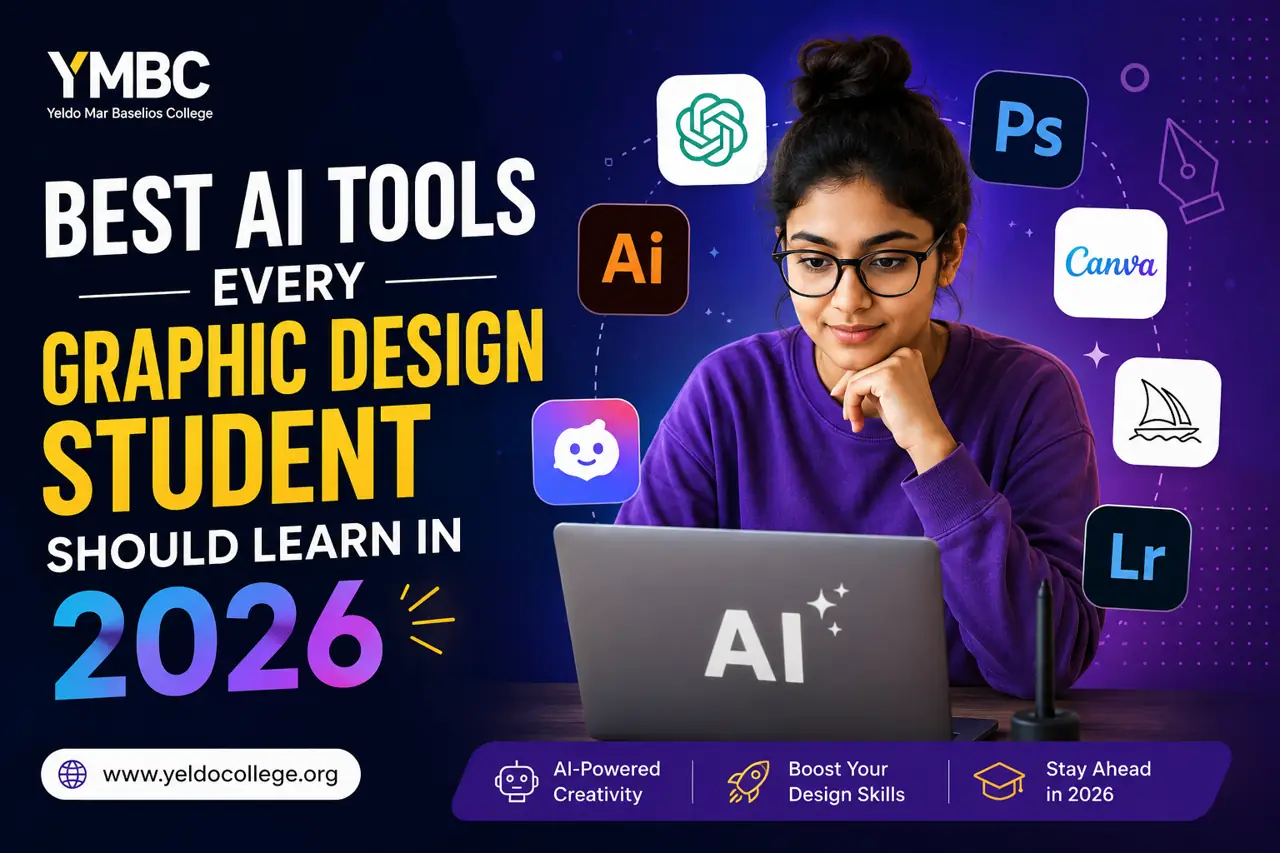
Many graphic design students struggle with slow workflows, creative blocks and the pressure to produce professional-quality work quickly. At the same time, studios and agencies now expect faster content delivery across social media, branding, UI/UX and digital marketing projects. AI tools are now part of modern creative workflows. They help students to handle repetitive tasks faster, experiment with ideas more easily and spend more time on creativity instead of manual editing. Learning the right AI tools for graphic design students in 2026 is no longer optional. It is becoming an important skill for building strong portfolios and staying relevant in creative careers.
Today’s agencies expect more than basic software knowledge from designers. Companies now prefer graduates who can combine strong design fundamentals with AI-graphic design workflows.
Automation tools help teams:
This matters because commercial design environments move fast. Marketing teams expect rapid delivery for:
Students who understand best AI tools for graphic designers often stand out during internships and entry-level interviews. They can contribute to production work immediately without needing long onboarding periods.
Canva AI is one of the most beginner-friendly AI tools for graphic design students. Features like Magic Design, background remover, AI text-to-image generation and ready-made social media templates help students create professional visuals quickly without advanced technical skills.
Why Students Love It:
For students exploring AI tools for beginners in graphic design, Canva AI is often the easiest starting point.
Adobe Firefly is built for advanced creative workflows. Students can use features like Generative Fill, AI image editing, text effects and Photoshop integration to speed up professional design projects. It works directly inside industry-standard Adobe applications like Photoshop and Illustrator, making it highly useful for students preparing for studio placements and commercial design careers. Advanced learners often use this AI design software for branding projects, ad creatives and professional visual editing tasks.
Features
Midjourney is widely used for concept art, poster inspiration, mood boards and branding visuals. Creative learners use it during the idea generation stage to experiment with visual styles, cinematic themes and creative directions before finalizing projects.
Ethical Use of AI Art
Students should use AI-generated visuals responsibly. AI tools can support creativity, but original thinking, human storytelling and ethical design practices still matter. Designers should avoid directly copying artistic styles and instead use AI for inspiration and concept development.
ChatGPT helps designers handle creative planning and communication tasks more efficiently. Students use it for:
It helps improve productivity outside the design canvas by supporting research, writing and idea generation.
Figma AI helps students create wireframes, smart layouts and interactive prototypes much faster. It simplifies UI planning and helps beginners understand modern product design workflows. As UI/UX careers continue to grow globally, learning Figma AI gives students an advantage in app design, website interfaces and digital product design roles.
Features
Remove.bg and Cleanup.pictures help students handle quick editing tasks easily. These tools are commonly used for:
For beginners, these tools save significant editing time and reduce repetitive manual work during asset preparation.
Looka helps multimedia learners to quickly generate logo concepts, typography ideas and branding mockups. It is useful for beginners learning how brand identity systems work across colours, symbols and visual consistency.
Features
Bing Image Creator helps upcoming designers to generate creative visuals instantly using text prompts. It is commonly used for brainstorming, poster ideas, visual references and quick concept testing before detailed production work.
Features
Kling 3.0 helps designers and multimedia learners generate realistic AI videos using text prompts and images. It is commonly used for motion graphics concepts, cinematic visual storytelling, branding presentations and experimental digital media projects. Kling offers a free version with limited daily credits, while paid plans unlock 1080p exports, faster rendering and commercial usage rights.
Features
Why Design Students Use It
Seedance helps multimedia learners create animated visuals and motion-based design content quickly using AI. It is useful for animated branding visuals, motion graphics experiments and digital media presentations.
Features
Why Design Students Use It
The industry is moving toward multi-skilled designers who combine:
This shift has also created more freelance and remote opportunities for independent creatives.
Students who understand AI-assisted design workflow systems can work across agencies, startups, creator businesses and global freelance platforms.
Even the most advanced automation tools cannot replace core human creativity. AI can speed up execution, but it cannot fully understand:
Strong design careers still depend on human fundamentals.
Original conceptual thinking remains deeply human. AI can generate variations, but meaningful ideas still come from observation, imagination and emotional understanding.
Understanding:
requires trained visual judgment. Good typography still separates amateur work from professional design.
A logo is not just a symbol. Branding involves translating company values and audience emotions into visual systems. This requires empathy and strategic thinking.
Designers regularly explain concepts to:
Strong communication often matters as much as technical software knowledge.
Good design connects sequence, emotion and visual flow. Human storytelling keeps layouts meaningful and memorable.
Many beginners become too dependent on automation.
Common mistakes include:
|
AI tool capability |
Real human design skill |
|
Fast generation |
Creative direction |
|
Automatic layouts |
Strategic composition |
|
Instant captions |
Brand voice understanding |
|
Smart masking |
Visual storytelling |
|
Template creation |
Emotional communication |
|
Speed |
Taste and judgment |
The strongest portfolios combine efficiency with originality.
Learn basic layout structure, social media formatting and presentation design.
Understand image editing, masking, typography and composition fundamentals.
Practice generating concepts, visual directions and creative variations.
Create fictional brands, packaging systems and social campaigns.
Document your best projects clearly with explanations and process breakdowns.
Explore wireframes, user flows and interactive design systems using Figma.
Study branding campaigns, app interfaces, advertisements and typography trends regularly.
Consistent daily practice matters far more than expensive software subscriptions or powerful hardware during the early learning stage.
Software alone cannot replace structured creative education.
Professional design training helps students understand:
Students also gain access to:
Modern institutions increasingly combine classical design education with automation-based workflows. This balance prepares students for real agency expectations. For students searching for a graphic design course in Ernakulam or a comprehensive multimedia course in Kerala, Yeldo Mar Baselios College provides career-focused creative training that combines foundational design principles with current industry software and production practices.
Students interested in animation, branding, multimedia production and digital content creation should also explore:
The future of design is not about humans competing against AI. It is about designers learning how to work intelligently with creative technology.
Students who combine:
remain highly valuable in the creative industry. Learning of these AI tools for graphic design students help to stay competitive in agency hiring, freelance markets and digital media careers. Students interested in building professional creative careers should explore the degree programs available at Yeldo Mar Baselios College to study both traditional visual communication and modern industry-standard design software together.
Canva is an excellent AI tool for creative students because It simplifies layouts and presentation design. Adobe Firefly is better suited for professional-level editing and commercial design projects.
No. AI reduces repetitive production work, but strong design still depends on human creativity, strategic thinking, storytelling and visual judgment.
Yes. Canva AI removes many technical barriers for beginners and helps students create layouts, mood boards and social media concepts quickly.
Professional designers commonly use tools like Adobe Firefly, Midjourney, Figma to support production, concept visualization and interface design workflows.
Students should combine self-practice with structured academic learning. Experimenting independently while studying inside professional multimedia or graphic design programs builds stronger long-term skills.
Yes. Demand for visually skilled designers continues to grow across advertising, branding, digital products, content creation, UI/UX and social media industries.
Tags: creative AI tools, future of graphic design, design students 2026, graphic design learning tools
September 22, 2026
September 22, 2026
September 22, 2026
September 22, 2026
September 21, 2026
September 21, 2026
September 21, 2026
September 21, 2026
September 07, 2026
September 07, 2026
August 29, 2026
August 29, 2026
August 28, 2026
August 28, 2026
August 28, 2026
August 28, 2026
July 27, 2026
July 27, 2026
July 27, 2026
July 27, 2026
July 25, 2026
July 25, 2026
July 25, 2026
July 25, 2026
June 27, 2026
June 27, 2026
June 27, 2026
June 27, 2026
June 27, 2026
June 26, 2026